Access Control Softwares (677)
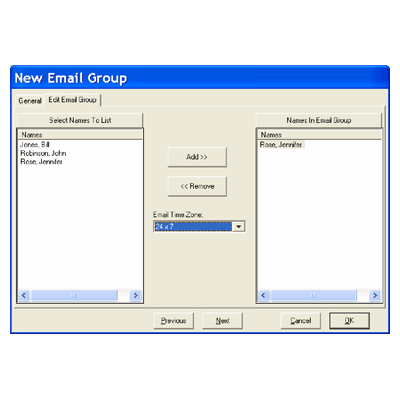
Alarm Email and Text Message Notification - alarms can now be emailed using an SMTP Server. Location, device, and inputs can be individually selected to send notification to email groups on alarm. Email groups can be one or multiple people each with a time zone that determines when the alarm can be emailed to that person. Alarms can also be sent to cell phones as text messages. Using the Alarm Email Notification feature, an email can be sent to a cell phone as a text message using the cell phone provider's sms gateway. Most Cell Phone providers have a SMS Gateway that will turn an email into a text message and send it to the subscriber's phone.
Add to Compare
Man Trap applications are typically two doors in a holding area or vestibule outside of a sensitive room. One door leads to the high security area while the other door leads to the non secured area. The application mandates that the two doors cannot be open or even unlocked at the same time. One door must shut and lock before the other door can unlock and open.
Add to Compare
Image ReCall Display a Card Holders primary Image automatically when their card is used at a predefined reader or manually when the Card Event is clicked on in the Event Monitoring Window of the Workstation program. Devices can be assigned up two time zones to determine when Image Recall is active for that reader. This applies to all Access Granted or Access Denied messages. Manual Image Recall will work even if there are no devices programmed for Auto-Image Recall. Once the Card Holder is clicked upon, their image will display until the next automatic or manual recall of an Image or until the Image is closed and/or until the features is disabled under the Customise Menu.
Add to Compare
DSX Anti-Passback allows the system to track the in and out status of the card holders. When implemented - if an access code is In, it will only be granted access at an Out device. When an access code is Out, it will only be granted access at an In device. WinDSX provides all three forms of Anti-Passback; Hard, Soft, and Timed. Zoned Anti-Passback is accomplished with four independent zones of Hard (In/Out), and Soft (Entry/Exit) Anti-Passback. Each reader can be in any or all of the four zones. Each card maintains a separate In/Out status for each of the four zones. This allows Anti-Passback to be used on both exterior and interior doors without the two zones affecting each other.
Add to Compare
Clean Room Annunciation is a simple application that will make a user aware that any two doors are open in an environment where certain doors (could be more than 2) will provide an annunciation or lockout when two doors of concern are opened at the same time.
Add to Compare
In distributed systems, IP terminal and readers perform the roles of a controller and reader simultaneously. Therefore, you can undertake functions such as user management, access control management, and biometrics with a single terminal. Suprema's IP terminals and readers improve system reliability with easy system configuration and distributed management. It also provides the benefits of simple wiring and low installation/maintenance costs. Features Elevator Control - Grants floor access rights to users and controls the floor buttons in the elevators. Easy System Connectivity & Easy Maintenance - Distributed systems provide easy system connectivity and easy maintenance. Access Control and Time & Attendance Management - Provides a wide range of access control and time & attendance management features and also supports mobile cards. Outstanding Performance & Contactless Authentication - Provides superior performance based on the world's best biometric algorithms and hardware as well as the benefits of contactless authentication via FaceStation 2.
Add to Compare
With Suprema Mobile Card, use smartphone as a credential to access doors, gates, networks, and more Supports modern mobile communication technologies which are both NFC and BLE. These two technologies enabled at the background and foreground to communicate with the device seamlessly Protects data with ISO 27001 certified system architecture; data encryption in the mobile portal, secure communication between mobile portal and smartphone, store the data in the keychain, mobile credential data validation The innovative system structure works to issue a mobile credential in an instant
Add to Compare
Handy Safe - BioStar 2 Mobile Card offers tremendous handiness to end-users by storing biometric information to function as a credential in their own smartphones. Compare with RF cards, smartphones are less likely to be stolen or shared. Highly Secured - Securing the privacy of sensitive identity data is more important than ever. BioStar 2 Mobile Card is highly secured as it stores user’s private information only in smartphone besides user’s information in cards are vulnerable to be cloned. BLE and NFC communication - BioStar mobile card supports both BLE and NFC and enables communication method automatically according to a supported communication type(s) from a device.
Add to Compare
Comprehensive Time and Attendance Event Tracking BioStar 2 TA tracks and records multiple events that may occur during a workday. Check-in’s and check-out’s are further divided into work, break, meal and leave types to assist simple payroll tracking and analysis. Fully Customisable Pay Code Pay codes that serves as the core element of shift can be created as many as required. Fully customisable pay codes on different time and attendance requirements and code color allows administrators to easily apply various T&A policies. Convenient Overtime Rule The overtime rule can be applied to shifts rather than pay codes to provide flexibility to overtime policy applications. The overtime rule can be applied based on daily, weekly, or monthly basis for extended convenience. Flexible Work Shift Support BioStar 2 TA is intuitively designed to accommodate dynamic work hours that are different from typical workday with fixed working hours. Thus, BioStar 2 TA supports flexible work hour configuration that tracks duration of each employee workday for dynamic work environment applications. Time Card Calendar View BioStar 2 TA supports time card view that provides insights into an employee’s daily work works, shift name, absences and vacation in a single view for effective and efficient management. An employee’s check-in and check our records can be easily modified on screen for simple processing of data.
Add to Compare
WinDSX is a powerful access control and system monitoring application that harnesses the power of the Windows 32 and 64 bit operating systems. WinDSX combines point monitoring and access control with photo ID badging, time and attendance, alarm Graphics, DVR/NVR Integration, elevator control, alarm email/text Message notification, threat level management, HazMat and emergency lockdown, and FIPS/TWIC card compatibility.
Add to Compare

DSX Communications typically run from the Comm Server PC over the customer network to a DSX-LAN module that is connected to the first or Master controller at each Location. Communications then takes the form of a dedicated RS-485 regenerative communications network that runs between system controllers. DSX-IP Gateway changes the way communications are distributed throughout the system.IP Gateway takes the place of a Master controller and will communicate to any Slave or cluster of Slave controllers over the network negating the need for the dedicated RS-485 communications wiring, with the exception of the cabling between controllers in a cluster of slave controllers.DSX-IP Gateway is performed using the standard WinDSX software and the IP Gateway application that is available on all Software distribution CDs. IP Gateway can be deployed on the same PC as the Comm Server or on a separate PC if multiple copies need to be run due to size of system. Each IP Gateway can support 63 DSX controllers or 126 Doors.Scalable Architecture - What you need where you need it.TCP/IP Communications to each Controller or Controller cluster with DSX-LAN Module.Supports AES-256 Communications Encryption to all Controllers without special hardware.Supports 240+ Card and Keypad Formats including FIPS 201 and TWIC.Real Time Processing and Communications between Clusters.Compatible with existing DSX Controllers.Communications to each controller cluster operates simultaneously. These simultaneous communications channels can provide a substantial increase in the rate of data collection and distribution.Each IP Gateway can support 63 DSX controllers or 126 Doors
Add to Compare

Utilises pre-defined rules and workflows for on-/off-boarding of identities, access provisioning/de-provisioning and access change management Allows users to manage various details of a physical identity including access card information, biographic and biometric details, results of security checks and logs of historical access usage Allows users to create spatial hierarchy of locations (sites), the underlying buildings, floors and associated areas for better access management Provides a central location to search and assign access levels for an identity across disparate physical access control systems (PACS) and specify details such as time schedule of access (24x7, business hours) Enables employees to make multiple physical security requests, such as new physical access requests and badge requests, using a self-service portal Aggregates access level information from disparate PACS and allows users to manage additional details typically not available in PACS, such as risk level, area owner, multiple approvers and pre-requisites for access (such as training for critical areas) Allows creation of access profiles, which automates assigning physical access using common identity attributes such as role, location and department Allows authorised personnel to immediately terminate physical access of identities, using urgent termination, avoiding termination delays by HR personnel Maintains a complete audit trail of all transactions executed within the system and between HID SAFE Enterprise and external systems Delivers pre-defined reports based on access records and logs of identities for compliance reporting and security planning
Add to Compare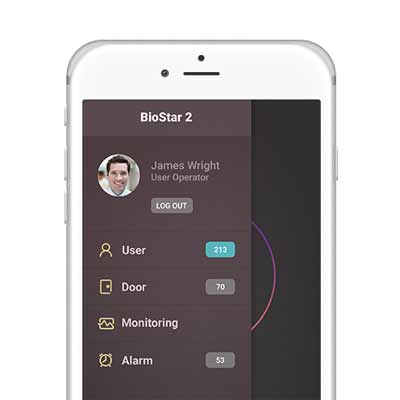
Suprema BioStar 2 Mobile application gives administrators and operators the freedom to manage BioStar 2 anywhere. Administrators can add, edit, or remove users remotely through app. It allows to control door remotely on the mobile device. It can receive live notification and respond to requests or alarms quickly without accessing BioStar 2 via client.
Add to Compare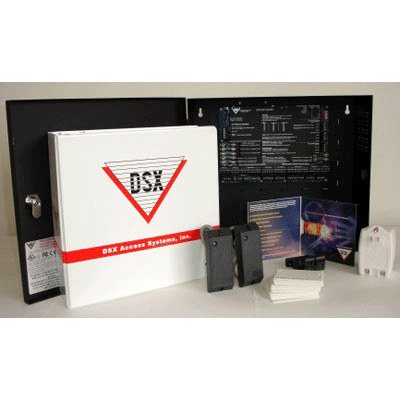
WinDSX is a powerful access control and system monitoring application that harnesses the power of the Windows XP, Vista, and 7 Professional™ operating systems. WinDSX combines point monitoring and access control with Photo ID Badging, Time and Attendance, Alarm Graphics, DVR/NVR Integration, Elevator Control, Alarm Email/Text Message Notification, Threat Level Management, HazMat / Emergency Lockdown, and FIPS/TWIC card compatibility.WinDSX can support your access control needs from a single PC or multi-user Local Area Network to an enterprise solution with SQL Server as the database engine. The system utilises TCP/IP network communications to provide user interaction and real time monitoring to the workstation PC's located anywhere on the LAN or WAN. Password protection allows for operator specific capabilities at each workstation.There are two Editions of Software. WinDSX comes standard with a Microsoft Access database engine. WinDSX SQL is designed to work with Microsoft SQL Server as the database engine. Both editions of WinDSX have similar features and capabilities. Microsoft SQL Server is user supplied.WinDSX implements Point and Click operation with hierarchical tree views and pop up menus for ease of use. I/O monitoring and control is achieved through animated icons that depict the real time status of each input or output. I/O points can also be assigned to an Override Group to allow for multiple inputs and outputs to be monitored and controlled from a single icon.Scheduled Overrides can be assigned to individual Inputs and Outputs as well as Override Groups. These schedules allow operators to quickly assign time and date sensitive instructions determining the open/secure status of outputs and the armed state of inputs.
Add to Compare
Time and Attendance (T&A) is an integral feature of the WinDSX System. WinDSX gathers clock “In” and “Out” times for each user. The operator can then run reports based on the clock “In” and “Out” times of each employee. These reports provide the total number of hours worked per day for each employee and a total number of hours worked for the report period. Reports can be printed or saved to a file.
Add to Compare
Setting the time in the online components Adjustment of radio channels Configuration of the online components Firmware update for online and offline components Display of the configuration of the online components (door number, door group etc.) Reading of event memory Installation database encrypted with password Operating systems: Windows XP, Vista and WIN 7, WIN10 (recommended Windows Professional) Installation management for: Configuration of the unit, firmware update, activation/deactivation of devices, management of identification cards for emergency authorisations Status display of the wireless connection, address settings The USB dongle included enables wireless communication with the Aperio products/hubs
Add to Compare
Improves front desk efficiency by automating visitor check-in processes, offloading visitor pre-registration to end users Delivers high quality visitor experience with the ability to self-check-in using visitor kiosk and minimising wait times Elevates brand experience with personalised branding on visitor kiosk Enhances security via automated vetting of visitors through multiple security checks prior to check-in Facilitates better management of visitors by electronically maintaining details and visit history Automates compliance as it relates to visitor access rules and policy-based registration Lowers TCO by minimising installation and IT support costs as a web-based application
Add to Compare
BoneID W3 is .NET based platform, on Cloud extension indicates additional modules needed for support from anywhere in the World. In simple words, it is gateway to the Internet. BoneID W3 on Cloud combined with uTouch is amazing solution that comes "out of the box". There is no need to worry about server, database, software installing, updates and backup. You may also eliminate all non core business from your company to establish simple and effective workforce management without any IT expert. All you need to have is a click on Internet access. Ideal solution for business on several locations that are not connected in a single VPN network, BoneID W3 on Cloud makes them connected when it comes to Access Control and Time & Attendance. Different level of instance sharing in computation power makes it suitable for any size of enterprise with unlimited user and devices. Department tree hierarchy of workers in almost every interface for easy management Employees List will show all active employees for selected department or all active employees if departments control is not present. Date selector is simplified control for selecting desired period we want to process.
Add to Compare
Administration of Visitors is a seamless feature of the WinDSX System. Visitors can be added to the system and tracked through the secure premises. Reports can be generated showing the Visitors card use and who they came to visit. Just as with most features in WinDSX, Visitor Management can be implemented and deployed in a number of different ways.
Add to Compare
BioConnect has taken a platform approach to biometrics -- Its core identity platform enables organisations to easily consume current and future biometric technologies as an authentication strategy, delivering greater security, assurance and convenience along the way. With multiple software and hardware-level integrations, BioConnect has developed a standard way of integrating and deploying biometric solutions within an existing infrastructure. From a software perspective, its advanced plugin architecture results in seamless synchronization of all data. This means that with each new install, site expansion, or upgrade enterprises and system integrators alike can feel more confident in the installation pre- and post- install. The result is a more effective way to scale biometric systems and maintain visibility across an enterprise, globally.
Add to Compare
ETL (Extract-Transform-Load): Easily collect data from disparate PACS Risk Evaluation: Use pre-built Risk Metrics to uncover insider threats and security vulnerabilities using Data Analyst Toolbox Dashboards and Reports: Review results on the Analytics Dashboard or create with full-featured reporting suite Actions: Use the Analytics Best Practice Rule Set to automate responses to a host of common security issues or create custom rules with intuitive rule editor. Revoke access, assign training, send notifications and more
Add to Compare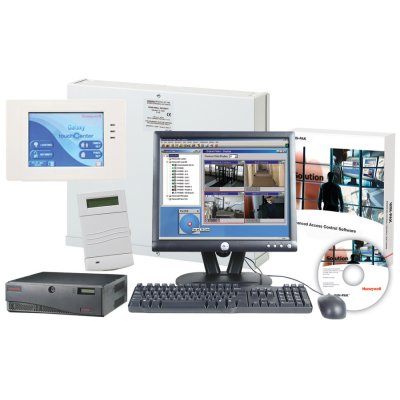
WIN-PAK® SE Service Pack 2 with HRDP Performance Series and Galaxy Dimension integration offers a single interface that combines access control and video with intrusion. The software can control and manage employee or customer access to designated or restricted areas in many types of facilities and businesses. The integrated solution is ideal for areas such as small office buildings, employee and delivery doors, pharmacies, off-licences, day care facilities, warehouses, restaurants and hospitals."Our latest version of WIN-PAK SE now enables customers to integrate with HRDP Performance Series Digital Video Recorders (DVRs) and Galaxy Dimension intrusion panels as a cost-effective, entry-level security integration platform," said René von Franquemont, access control product marketing manager for Honeywell Systems Group EMEA. "It combines Honeywell's latest innovative security products into a powerful, comprehensive security solution for customers."WIN-PAK SE allows users to manage three separate systems through a single, easy-to-use software interface, which not only saves time and money, but also improves the level of security by eliminating user code sharing. Other benefits of the integrated WIN-PAK SE with HRDP DVR and Galaxy Dimension system include:Fast and easy setup - A step-by-step installation wizard makes setup quick and easy.Retrieve recorded video quickly - The seamless integration with Honeywell HRDP DVRs facilitates easy identification, retrieval and playback of events and alarms.Greater sales opportunities for installers - Because it provides a three-in-one solution, installers are able to offer end-users substantial enhancements to existing systems or significantly improve the operation of new security systems by reducing training and labour.Incremental revenue advantages - The new WIN-PAK SE software provides installers with the opportunity to add digital video and/or intrusion functionality to existing access installations as customer needs change, creating additional revenue and increased customer retention."It takes a unique software interface to effectively harness the power of our intrusion panels," said Drew Aitken, product marketing manager for Honeywell Security and Communications EMEA. "WIN-PAK SE with HRDP and Galaxy Dimension integration delivers this power in a big way. By tying together Honeywell's premier products of access, intrusion and video, it offers a versatile solution that meets customer needs of today without sacrificing the needs of tomorrow."For further information click here
Add to Compare
A Mobile access is changing the way we interact with buildings and how we manage their security. The smartphone becomes a mobile key just as easily as it transforms into a payment card or a map. With this convenient device, users unlock buildings or rooms, across one or multiple sites, securely and at a lower cost to a business than alternative credentials. Mobile access via Aperio battery powered locks is built on Seos, a next-generation platform with class-leading cryptography and authentication, plus unrivalled privacy protection. Security managers can amend mobile credentials over the air, without any need for dedicated readers or asking a user to check-in their credential. Nobody is left waiting around for their access permissions to update. Compatibility and security are at the heart of Aperio mobile access. Aperio locks already accept all major RFID credentials as well as the NFC mobile wireless protocol. The E100 Electronic Escutcheon works with Bluetooth Low Energy (BLE) too. More Aperio devices will offer BLE compatibility in a near future. User experience at the door is always identical. Users simply present their Android or Apple phone at the reader, just as they would a smart-card. They don’t even need to open an app. No training is needed, because unlocking an Aperio device is easy and intuitive. Aperio locks can operate with all credential technologies simultaneously: Building users need not unanimously adopt one format. Security managers do not have to implement a mass transfer to a single technology. Businesses can run RFID and mobile in parallel. They can upgrade from low- to high-security credentials when they choose. Every technology is always included in the package: There is no decision to make at the moment of purchase. Aperio locks already reduce the cost of extending access control within a building, wire-free. They are quick to install, cost-efficient to run and integrate seamlessly with security systems from over 100 different manufacturers.
Add to Compare

TBS Cloud Services takes care of: Setup and upkeep of the server Installation of the server software including updates and upgrades Data storage, data security, and data protection Guaranteed availability E-mail and telephone support for all questions about the server software Advantages: Outsourced solution for good value – with stable costs you can plan for Server and software are always up-to-date The highest level of security and availability Remote access via any browser-enabled end device
Add to Compare
WinDSX was designed and engineered for the central monitoring of multiple Locations using dial-up modems, direct serial port connections, and/or TCP/IP communications. WinDSX is commonly used for applications as varied as 1 PC and 1 reader to multiple PCs and hundreds or thousands of readers. WinDSX can be used on a single PC with a single Location connected but exhibits its true power when used on a LAN controlling multiple sites, both local and remote, from a central station environment.
Add to Compare
When scores of visitors pass through the entrances of large facilities, ineffective visitor management can compromise the security afforded by significant investments in perimeter security and access control.Honeywell's award winning Electronic Visitor Management System LobbyWorks™ can contribute substantially to the safety and protection of both personnel and property. The ability to automatically screen and track visitors is an essential part of a complete security plan.The LobbyWorks™ Suite offers a simple and cost effective way to:Determine who is in your facility at all times Identify unwanted visitors Eliminate abuse of visitor badges Protect the confidentiality of visitors Facilitate communication between hosts, visitors, and security personnel Improve lobby and security desk productivity
Add to Compare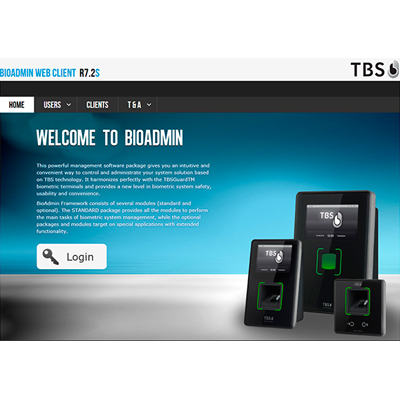
TBS BioManager is a web-based management software, installed either on a local or on a cloud server. It features user and device management, rights management, alarm management and much more. Adminstration of all users in the biometric installation, with options to edit, filter and sort. Moreover allows to enrol user biometrically directly in web browser.
Add to Compare
Building Automation - The WinDSX Software is capable of controlling a number of Building functions. Equipped with time, date, day of week, user, and event driven relay outputs the system can virtually control anything that is electrical in nature or can be controlled with a switch or timer. Most buildings have a vast electrical system that supports lights, signs, fountains, HVAC, elevators and more.
Add to Compare