Access control systems & kits (1,121)
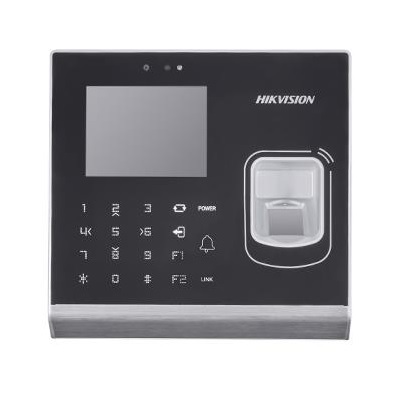
Supports Local activation IP addresses conflicted alarm M1 card encryption Supports communicating with 4 software clients simultaneously; Supports uploading real-time events Gets offline events: Avoids events losing Doorbell ringtone settings function
Add to Compare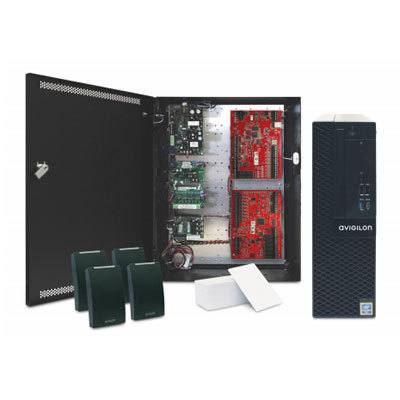
All-in-one solution for access control, complete with an ACM™ Appliance, LifeSafety Power Enclosure, Mercury Controller and Sub-Panels, RP40 Readers, and 100 pre-programmed HID® Cards. No card programming information required Pre-configured settings available
Add to Compare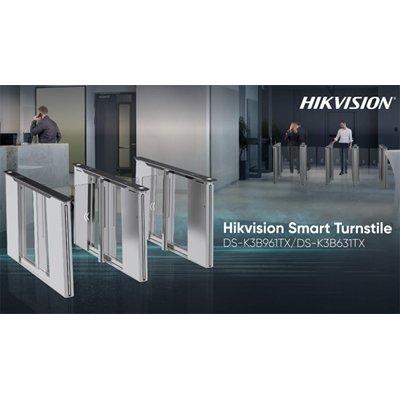
Traditional access control turnstiles require complex wiring to integrate sliding doors and facial recognition terminals. To make deployment and maintenance faster, simpler, and more cost effective, Hikvision has created a new range of Smart Turnstiles (DS-K3B631TX, DS-K3B961TX) with fully integrated MinMoe facial recognition terminals, QR code readers and card-readers. To provide secure access controls to buildings or other facilities, organizations frequently use turnstiles with facial recognition technology. However, the traditional design for this type of device incorporates mechanical sliding ‘wings’ or another type of turnstile door, plus a mounted authentication unit that needs to be integrated manually. This design, which is based on two key components that need to communicate with each other, can be problematic. Not only does this design require complex wiring, making installation time consuming and expensive. But there is also a risk that a communications issue between the authentication and turnstile components could prevent an authorized person from entering a building, or vice versa – creating inconvenience and security risks. Reducing complexity and costs for deployment and maintenance To help organizations reduce deployment complexity and costs, Hikvision has created a new series of Smart Turnstiles. These feature built-in facial recognition terminals QR code readers and card-readers, thereby reducing wiring complexity, integration workloads and – ultimately – access control costs. As well as only requiring one cable to plug into the network with a standard interface, the all-in-one Smart Turnstiles are also far more elegant and compact, which helps avoid the bother of wire stripping and using screws to make contacts between wires and the devices. The new Hikvision Smart Turnstiles also save time for maintenance teams with self-diagnostics. Teams can simply review a web page to see any faults in any of the turnstile components, and codes are also displayed on the devices’ LED screens if a fault occurs. This feature means that teams do not have to visit devices on site to diagnose faults, reducing maintenance workloads and costs and minimizing downtime and disruptions for end users. Delivering optimal turnstile performance The new Hikvision Smart Turnstiles offer an extremely high level of performance and durability. The servo motor used for the devices is empowered by the industry-leading motor control algorithms and supports throughput of 30 to 60 people per minute. Not only that, but the motor is engineered to last for 12 million opens-and-closes (MCBF), ensuring that the turnstiles have a very long useful lifespan. Aside from the motor, the Smart Turnstiles boast a range of other high-performance components and features. With 20 pairs of IR lights, the turnstiles are highly reliable and durable – with ‘anti-pinch’ and ‘anti-tailgating’ capabilities. The built-in authentication module provides a faster, touch-free access control experience with facial recognition technology, and is able to process up to 50,000 users, read 250,000 cards, and record up to 1,000,000 access control logs. The chassis of the devices are made of stainless steel, with a lane width of 550mm to 1,100mm to support different kinds of customer needs. Meeting diverse access control needs The new Hikvision Smart Turnstiles are ideal for different kinds of buildings and facilities. They can also be deployed in a wide range of settings, industry verticals and sectors, from hotels and offices, to apartment buildings and education institutions, helping improve access control efficiency and reduce management costs. To meet the needs of a wide range of customers, the Smart Turnstiles offer advanced access control features and functionality. This includes people counting for crowd control to prevent the risk of crowd crushes, ensuring compliance with security and fire safety rules, anti-passback to ensure that cards cannot be used by multiple people to access restricted areas, visitor management feature for facilities with authorizing access control pass to visitors, and linkages with elevators for multistorey office or apartment scenarios. The smart turnstile also features extensive functionality with the Hikvision unified management platform, and users can build additional linkages between the turnstile and other security devices and systems, as required.The visual appeal of the turnstiles is further enhanced with vertical colored LED ‘light strips’ that can be easily changed online using an app, ensuring they always fit perfectly into their surroundings with proper color and mode settings. As an additional benefit, customers who wish to use the LED screens to broadcast advertising can customize the ad broadcast according to their needs.
Add to Compare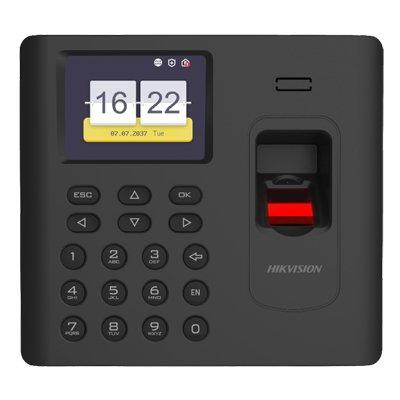
Fingerprint Time Attandence Terminal, Built-in Mifare card reading module 3,000 fingerprints, 3,000 cards and 100,000 events storage Communication via TCP/TP and Wi-Fi Power supply:5 VDC/1 A Back-up battery supported ISUP5.0, ISAPI
Add to Compare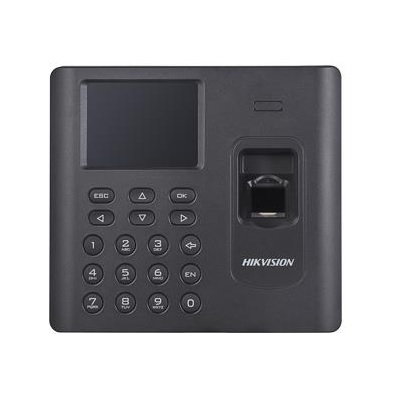
2.8-inch LCD screen to display time, date, week, and attendance information Supports registering fingerprints from the terminal to software remotely Max. 3000 users, Max. 3000 fingerprints and Max. 100,000 events records Two attendance authentication modes: authentication by person, authentication by device Stand-alone operation (supports adding persons, cards, and fingerprints locally) Exports the swiping card data and the attendance report to the USB
Add to Compare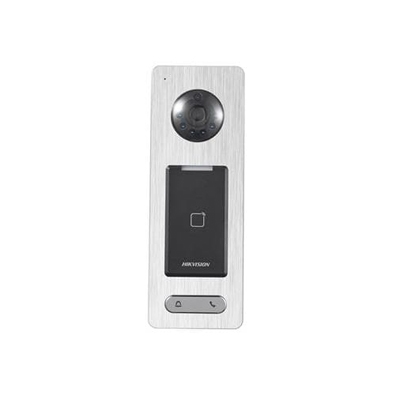
DS-K1T500S is a kind of video access control terminal, which is equipped with HD camera(2 MP/1080p). It supports multiple advanced technologies including face detection, smart card recognition, two-way audio, remote live view, picture capture, video recording through NVR, and so on.
Add to Compare
Fingerprint Time Attandence Terminal LCD display screen 3,000 fingerprints, 3,000 cards and 100,000 events storage Communication via TCP/TP and Wi-Fi Back-up battery supported EHome for public network communication Multiple time attendance status European power supply adaptor included (please mark for other standards when you order)
Add to Compare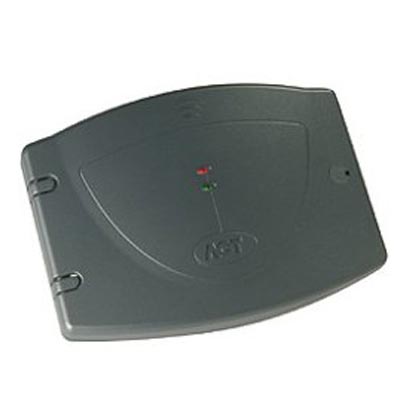
This is an 8 Input and 8 Output device that allows an ACT controller to be used in applications where signalling to other equipment is required. Examples of this are elevator control, alarm systems, CCTV switching applications, I/O Mapping etc.Main Features 8 form C relays 8 supervised inputs Tamper protection 2 status LEDs Polycarbonate housing Input and output names Timer for each output Output switched off or on by log event, input, timezone ACTWinPro support Inputs and outputs Logged Normally open/closed Inputs monitored by timezone Supervised Inputs option
Add to Compare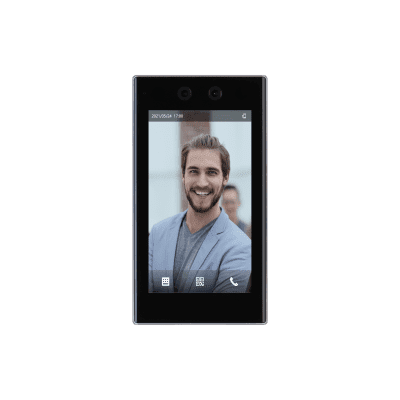
7" LCD with a resolution of 600 × 1024. 2-MP dual-lens CMOS camera. Supports 50,000 users, 50,000 faces, 50,000 passwords, 100,000 cards, 50 administrators, and 300,000 records. Multiple unlock methods including face, IC card, password and QR code. Recognizes faces 0.3 m to 3.0 m away (0.98 ft–9.84 ft), and detects persons between the height of 0.9 m and 2.4 m (2.95 ft–7.87 ft). Powered by the face recognition deep learning algorithm, the device can accurately locate over 360 key points on the face of a target. Faces can be recognized within 0.2 seconds, without need for the person to touch the device. Features face mask detection and safety helmet detection. Plays advertisements in video and image format. Supports extension modules for fingerprint, QR code and and fingerprint + QR code. Recognizes up to 6 faces at the same time.
Add to Compare
Fingerprint Time Attandence Terminal LCD display screen 3,000 fingerprints, 3,000 cards and 100,000 events storage Communication via TCP/TP and Wi-Fi Back-up battery supported EHome for public network communication Multiple time attendance status European power supply adaptor included (please mark for other standards when you order)
Add to Compare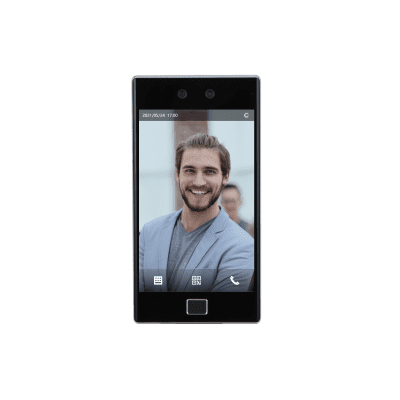
8" LCD with a resolution of 1280 × 800. 2-MP CMOS dual-lens camera. Supports 100,000 users (including up to 50 administrators), 100,000 faces, 500,000 cards, 100,000 passwords, 10,000 fingerprints, and 300,000 records. Multiple unlock methods including face, IC card, password, fingerprint and QR code. You can configure scheduled unlock methods, or com bine them to create your own personal unlock methods. Recognizes faces 0.3 m to 3 m away (0.98 ft-9.84 ft), and is suitable for recognition of people with a height of 0.9 m to 2.4 m (2.95 ft–94.49 ft). Adopts deep learning face recognition algorithms to accurately rec ognize more than 360 key points of a target's face, offers contactless passage and performs face recognition at 0.2 sec/person. Supports face mask detection. Displays video and image advertisements. Recognizes up to 6 human faces at the same time. Supports person management on the webpage, including adding, deleting and editing persons. Compatible with multiple platforms such as DSS Professional, SmartPSS Lite and DMSS.
Add to Compare
All-in-one solution for access control, complete with an ACM™ Appliance, LifeSafety Power Enclosure, Mercury Controller and Sub-Panels, RP40 Readers, and 100 pre-programmed HID® Cards. No card programming information required Pre-configured settings available
Add to Compare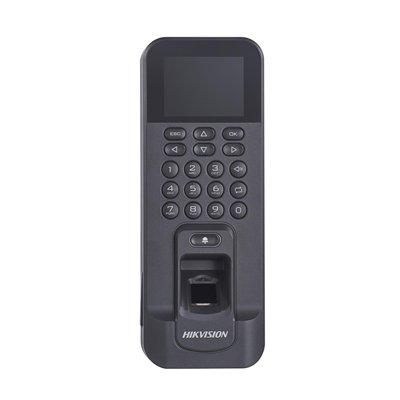
Integrated management of access control and the time and attendance functions 3,000 fingerprints and 100,000 events storage Built-in card reader for Mifare1 card Communication via TCP/TP and Wi-Fi RS-485, wiegand interface Alarm input and output interface ISUP5.0, ISAPI
Add to Compare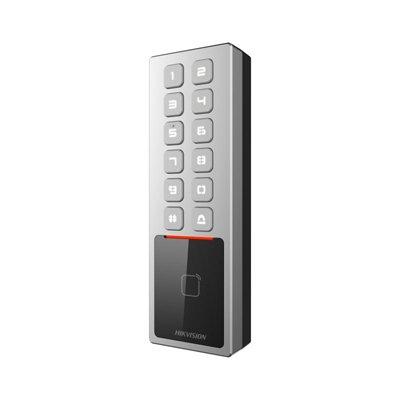
High protective level: IP65 and IK08 Slim and flexible design with metal 10,000 cards and 100,000 events storage Built-in card reader for EM card Supports operation by mobile App (Hik-Connect) Configuration via PC web and mobile web are available Supports multiple authentication types: card, PIN
Add to Compare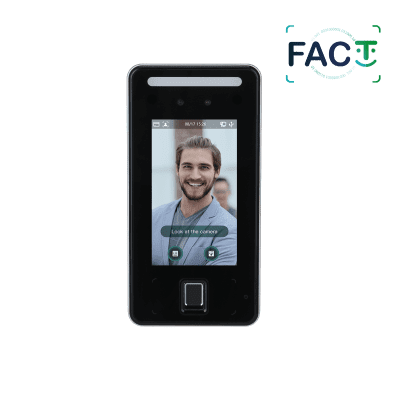
4.3-inch LCD touch screen; resolution 480 × 272 2MP wide-angle dual lens camera; support DWDR, white light fill light and IR fill light Support face, card, password ,fingerprint unlock and unlock through their combinations; support unlock by period User data can be stored at the access controller; can hold 6000 face images and work without network Face-camera distance: 0.3 m-1.5 m Face verification accuracy 99.5%; face comparison speed 0.3s per person; low false recognition rate; support liveness detection
Add to Compare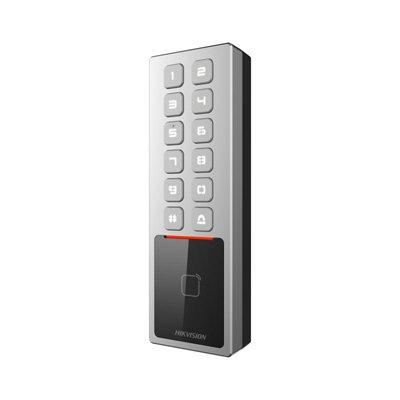
High protective level: IP65 and IK08 Slim and flexible design with metal 10,000 cards and 100,000 events storage Built-in card reader for EM card Supports operation by mobile App (Hik-Connect) Supports AP configuration, configuration via PC web and mobile web are available Supports multiple authentication types: card, PIN, and bluetooth
Add to Compare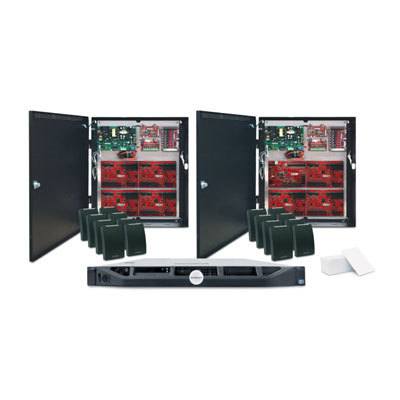
All-in-one solution for access control, complete with an ACM™ Appliance, LifeSafety Power Enclosure, Mercury Controller and Sub-Panels, RP40 Readers, and 100 pre-programmed HID® Cards. No card programming information required Pre-configured settings available
Add to Compare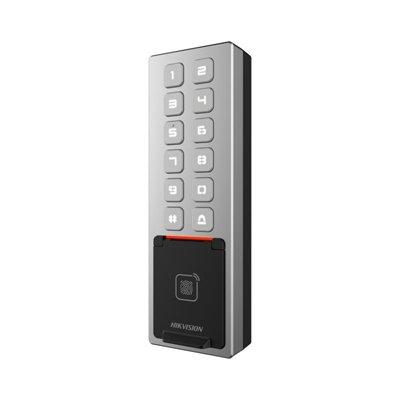
High protective level: IP65 and IK08 Slim and flexible design with metal 3,000 fingerprints, 10,000 cards and 100,000 events storage Built-in card reader for EM card Supports operation by mobile App (Hik-Connect) Supports AP configuration, configuration via PC web and mobile web are available Supports multiple authentication types: card, fingerprint, PIN, and bluetooth
Add to Compare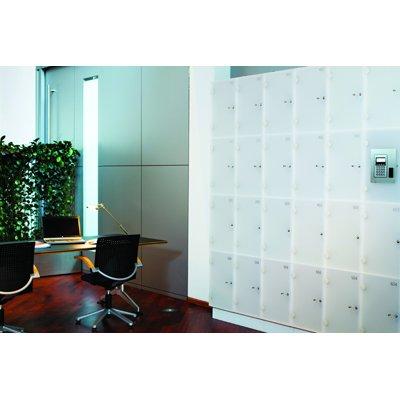
Save money & space - Save up to 70% compared to the cost of buying a locker for each employee. Maintenance costs are low as there’s no batteries to change or keys to supply, and low power consumption means low energy costs. High security levels - It’s the only locker system to read encrypted customer-specific data, so only your organisation’s cards can operate your lockers and cabinets. Every lock has a tamper alarm and you can see who opened each one and when. Easy to manage - You manage all lockers and storage cabinets centrally via a smartphone-friendly web interface. You always have an up-to-date overview on their status, and there are no keys to issue, track or replace. Easy to use - People use one access card for everything. They can open lockers and cabinets quickly by holding their card to the lock, and then lock it the same way. There are no complex instructions or queuing at terminals. Always in control - Even if your network fails or there’s a power blackout, all lockers and cabinets can still be used and remain secure. So you stay in control of which people can access each one and at what times. Integrated - Use a single card to access lockers, your building and the car park.
Add to Compare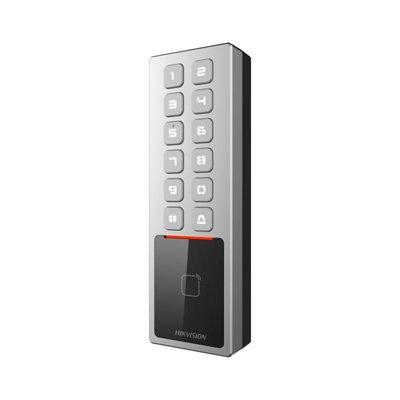
High protective level: IP65 and IK08 Slim and flexible design with metal 10,000 cards and 100,000 events storage Built-in card reader for M1 card Supports operation by mobile App (Hik-Connect) Supports AP configuration, configuration via PC web and mobile web are available Supports multiple authentication types: card, PIN, and bluetooth
Add to Compare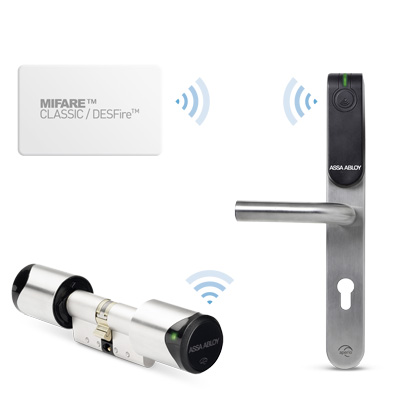
Aperio® Offline access control doors now allow access control system manufacturers (OEMs) and system integrators to offer even more favourably priced solutions, thus creating a competitive advantage for themselves. All they need to do is integrate Aperio® components into their system, an easy task. Aperio® Offline is particularly suitable for doors which cannot be wired, are used very little or are a distance away from other doors. Very easy to install, an Aperio® Offline cylinder or escutcheon is mounted onto the door and then integrated into the access control system. Access authorisations are saved onto existing RFID user cards or transponders. Doors are all managed using the same access control system, whether they feature Aperio® Offline or Online. Users receive new or modified access authorisations from a central point. One special feature in Aperio® Offline is its status message capability used to indicate low battery status or a jammed lock and transmit other door signals to the access control system via the cards or transponders. This allows system maintenance to rectify faults or replace batteries within a short space of time. Lost user cards and transponders can be cancelled by placing them on a blacklist or become automatically invalid after a specific period of time. Able to support up to 16 time schedules, Aperio® Offline also offers a permanently open mode (office mode) and door status change (toggle mode). For customers or end-users, the greatest advantage lies in the fact that they can now choose the right access control system for every door scenario. Regardless of whether the door is Aperio® Online or Offline, both can be administered using the same access control system. Aperio® Offline cylinders or escutcheons can also be easily used for Aperio® Online if operators wish to integrate a door into an online system at a later date. In such a case, the door is incorporated into the access control system via a wireless communications hub, thus providing a favourably priced, non-wired, online solution.
Add to Compare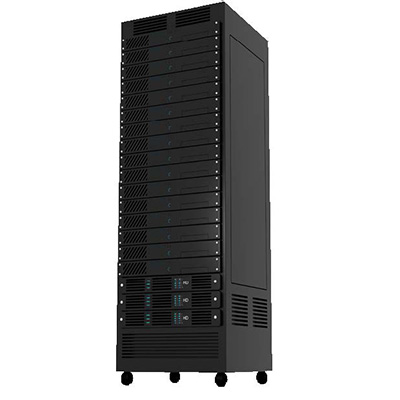
Traka’s rack manager is an intelligent solution that allows you to restrict rack access to authorised users only. Furthermore, it allows you to maintain a full audit of who has accessed which rack, and when. The rack manager can be fully integrated with your current access control system. The interface to the system is a 7 inch touch sensitive pod, which uses the latest embedded processing technology. With the rack manager all access to data racks is managed via the touch screen pod. Each authorised user identifies themself at the pod (via Smart card, biometrics or PIN) and selects the rack they wish to access.
Add to Compare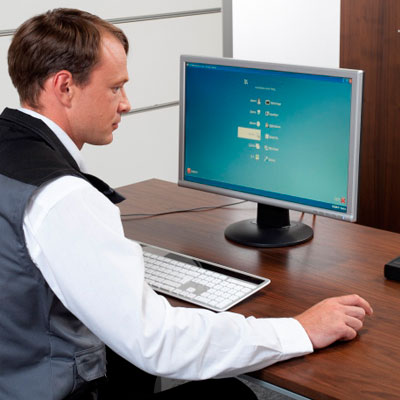
One size does not fit all when it comes to managing a facility's access rights. With SMARTair™ from TESA, security managers have a choice between 4 levels of access control, each tailored to the needs of different doors and premises. And you don't need to choose one: all of them can work together in the same organisation, providing exactly the appropriate rights management solution for each door—online or offline, high or medium security. SMARTair™ Stand-Alone is suited for smaller premises and low-traffic doors. Facility managers update access rights at the door using the supplied programming card. No access control software is needed. SMARTair™ Offline provides an extra layer of security. In addition to SMARTair™ Stand-Alone features, access rights can be scheduled and it's easy to generate a manual audit trail for any door in the facility. The SMARTair™ Update on Card option adds more automated access rights management, and is suited to buildings with more doors and higher footfall. Access rights are managed via a wall updater. Facility managers can update access directly via user cards, schedule access rights when needed, and generate automatic audit trails with the easy-to-use system management software. SMARTair™ Wireless Online provides the maximum level of system control for large, busy and high-security doors or buildings. A network of wireless hubs links doors to the company's access control system. It's easy for security managers to update or deny access rights wirelessly, or to generate real-time audit trails for any lock in the organisation. Moreover, system managers can open doors remotely via a web browser or mobile app. Facility managers can pick 1, 2, or even all 4, of these SMARTair™ solutions to fine tune their organisation's access rights management. And SMARTair™ gives facilities managers the power to manage access to more than just doors. As well as electronic cylinders, escutcheons, locks, and wall readers, SMARTair™ provides locks for cabinets, lifts, vending machines, and lockers. With SMARTair™ from TESA, it is simple to manage the rights of every lock within one single, secure access system.
Add to Compare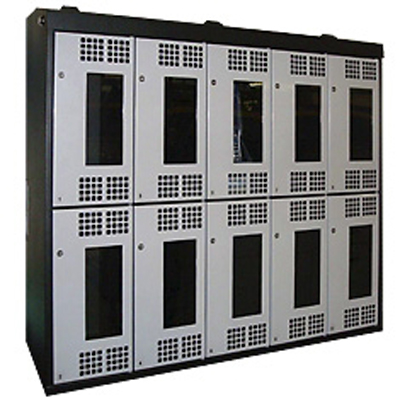
Traka Ltd RFID Lockers use Traka software. They are run in 'advanced locker administration' mode and are controlled from a local Windows PC or run centrally from a networked server. Each device is uniquely RFID tagged so that it is managed, controlled and individually accounted through the Traka software. RFID lockers ensure secure storage so that only authorised, competent and trained staff can gain access to specific assets, partly for security and compliance reasons, but most importantly for control purposes.
Add to Compare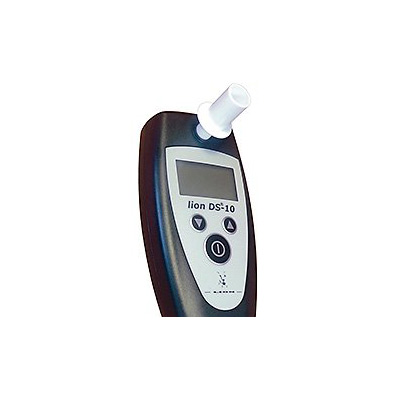
Traka Alcolock is a key management system with alcohol testing. After opening the Traka key cabinet using PIN, access card or biometrics reader the user then selects the required key to a particular vehicle or piece of equipment. However, before the key is released the system display requests the user to blow into the Alcolock.A five second blow and the system will confirm a Pass or a Fail. Only if Passed will the key be released. Should a user fail the breath test, then the key will be locked in place. The Fail will be logged in the Traka database together with the user's name. The user will then need to inform their supervisor or line manager.
Add to Compare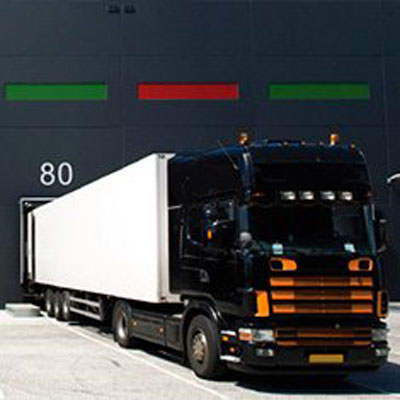
Traka DockSafe safety management solution is a unique and easily installed drive off prevention system designed to stop vehicles prematurely leaving the Goods Out bays of a busy distribution centre – historically the source of many serious incidents within the industry each year. It can only be operated by an authorised driver and an audit trail is created which records the drivers ID and the time the lock was activated and de-activated. All of this is achievable as the memory chip within the iFob has a unique serial number, which is assigned to an individual driver. The Traka iFob allows authorised users to access the Salvo Susie lock.
Add to Compare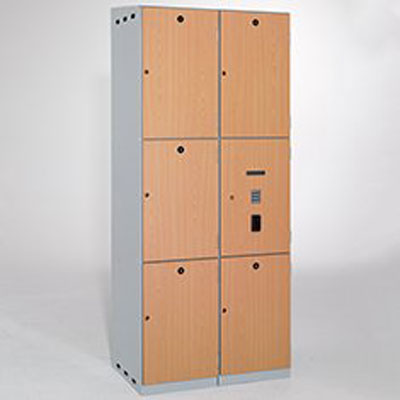
Traka Bespoke lockers offers a range of standard key management cabinets and intelligent locker solutions, there are almost certainly, occasions when the 'one size fits all' approach is not applicable. Traka is able to create intelligent lockers in almost any combination of shape or size to suit your specific requirements. It is managed through the same Traka software as key management cabinets to enable the full range of access control, auditing, and management reporting. It can be supplied with in-built charging capability if required, or if preferred, with a separate charging bank for batteries in a lower locker compartment.
Add to Compare
Traka Electronic lockers is easy to install, simple to use, and require little training. Once in use they are easily administered from the front control panel - there is no software to load and no PC is required for management control. It allow for the use of PIN code as the default access method. But, optionally, ID card or biometrics access control can be fitted. The system includes a real time clock and allows for the ability to automatically fire open all doors at a set time (perhaps at midnight).
Add to Compare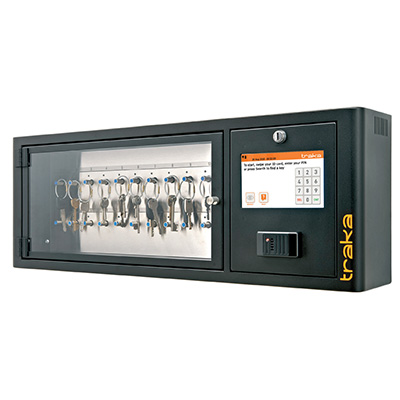
When it comes to key management Traka Touch makes your life easier. It gives you an intelligent ‘out of the box’ key management solution which operates entirely independently of your IT systems. Everything is managed via the touch screen on the front panel, from the initial administrative set up of users and keys, right through to the day to day user access.
Add to Compare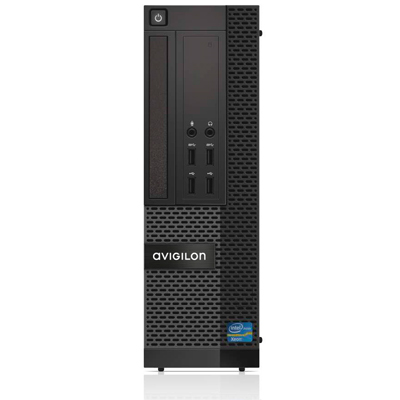
Avigilon™ Access Control Manager (ACM) Professional is a web-based, access control network appliance designed for small- to medium-sized installations, with up to 32 readers. Intuitive and easy to use, ACM Professional simplifies access control with a cost-effective, all-in-one appliance. With a small form factor and powerful performance, ACM Professional installs into compact spaces with limited power consumption requirements.
Add to Compare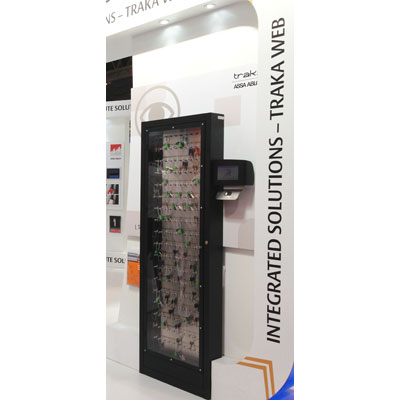
Traka, a division of ASSA ABLOY presents the Traka Touch L Series intelligent touch screen key management system. Traka Touch is a standalone key management solution that operates independently of a company’s IT system via an embedded Windows software and SQL Server database. No server is required to maintain its database. The system is managed via the full colour 7-inch multi-language touch screen on the front panel, from the initial administrative setup of users and keys to the management of day-to-day user access. As with conventional Traka systems the Touch gives the administrator control over the access levels for each particular user. To gain access to keys, users must identify themselves using a PIN code, swipe card or biometric recognition. LEDs indicate which keys a user can and can’t take when they access the cabinet. The Traka Touch provides a real time audit of all key transactions and the unit’s solid state memory can store up to 250,000 events. Administrators can view a report of all key usage and search for a key that is “out of system” via the touch screen. “The new Traka Touch is a secure, cost-effective means of ensuring that only authorised individuals have access to keys, while making them readily available to authorised users 24/7. It is not always feasible for organisations to allow access to IT infrastructures and networks and Traka Touch addresses this” said Robert Smith, Managing Director, Traka plc.
Add to Compare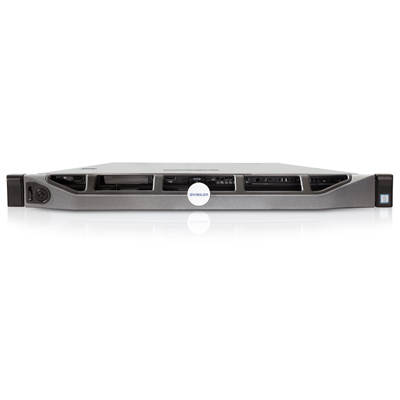
The Access Control Manager (ACM) system is an IT-friendly Physical Access Control System (PACS) from Avigilon for enterprise-class installations. It’s a complete system that is designed to keep your focus on securing your people, property and assets, and maximizing your time by helping you respond immediately to alerts wherever you are. The ACM™ system is a browser-based solution that can integrate with existing IT/HR systems, minimizing the need for duplicate data entry. It comes with a full set of standard features that not only help to maximize your time, but will reliably safeguard your information.
Add to Compare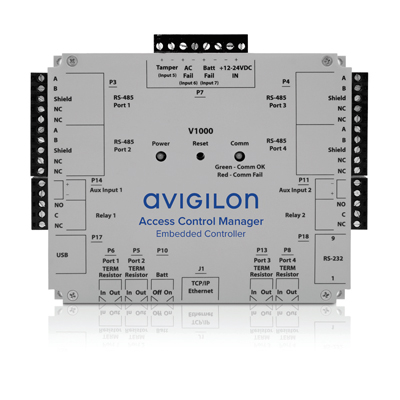
Key features: 100% browser based application factory installed by Avigilon Simplified programming and navigation IP enabled controller Supports offline mode Removable terminal blocks for easy installation Plastic enclosure protects vital components HID VertX V200 input control interface and V300 output control interface supported Four Door Reader Kit includes: One AC-LSP-4DR-HID-LCK LifeSafety Power four door HID dual voltage integrated power system One Avigilon AC-HID-ACMEC V1000 ACM Embedded Controller Two AC-HID-VERTX-V100 HID VertX V100 reader interface modules Four AC-HID-READ-ICLASS-SE-R10-AVG HID iCLASS SE R10 card readers 100 AC-HID-CARD-ICLASS-SE-3000-AVG iCLASS SE contactless smart card, 2k bit with two application areas
Add to Compare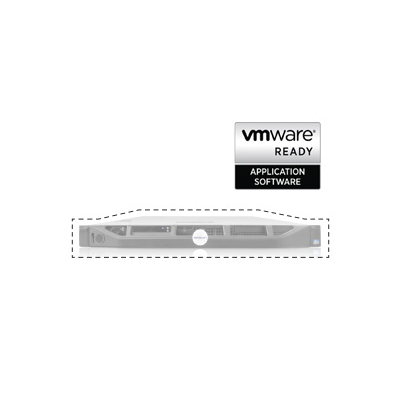
Avigilon™ Access Control Manager Virtual is a physical access control system (PACS) that is VMware® Ready for deployment in a virtual server environment, eliminating the need to maintain a separate, stand-alone server or dedicated network appliance. Access Control Manager Virtual is purpose-built for organizations that have migrated their IT infrastructure to a secure, private cloud environment, allowing them to maintain enterprise-grade physical security without the risk of storing sensitive information on a shared server hosted in a public cloud.
Add to Compare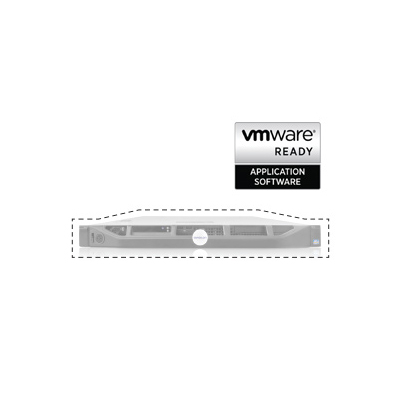
Avigilon™ Access Control Manager Virtual is a physical access control system (PACS) that is VMware® Ready for deployment in a virtual server environment, eliminating the need to maintain a separate, stand-alone server or dedicated network appliance. Access Control Manager Virtual is purpose-built for organizations that have migrated their IT infrastructure to a secure, private cloud environment, allowing them to maintain enterprise-grade physical security without the risk of storing sensitive information on a shared server hosted in a public cloud.
Add to Compare
Avigilon™ Access Control Manager Virtual is a physical access control system (PACS) that is VMware® Ready for deployment in a virtual server environment, eliminating the need to maintain a separate, stand-alone server or dedicated network appliance. Access Control Manager Virtual is purpose-built for organizations that have migrated their IT infrastructure to a secure, private cloud environment, allowing them to maintain enterprise-grade physical security without the risk of storing sensitive information on a shared server hosted in a public cloud.
Add to Compare